
PWHL Fan for iPad
The best way to follow women’s hockey on the big screen
Fully adapted for iPad with a native tab bar, multi-column layouts, expanded stats tables, and immersive video. Every view is optimized to take advantage of the iPad’s larger screen.
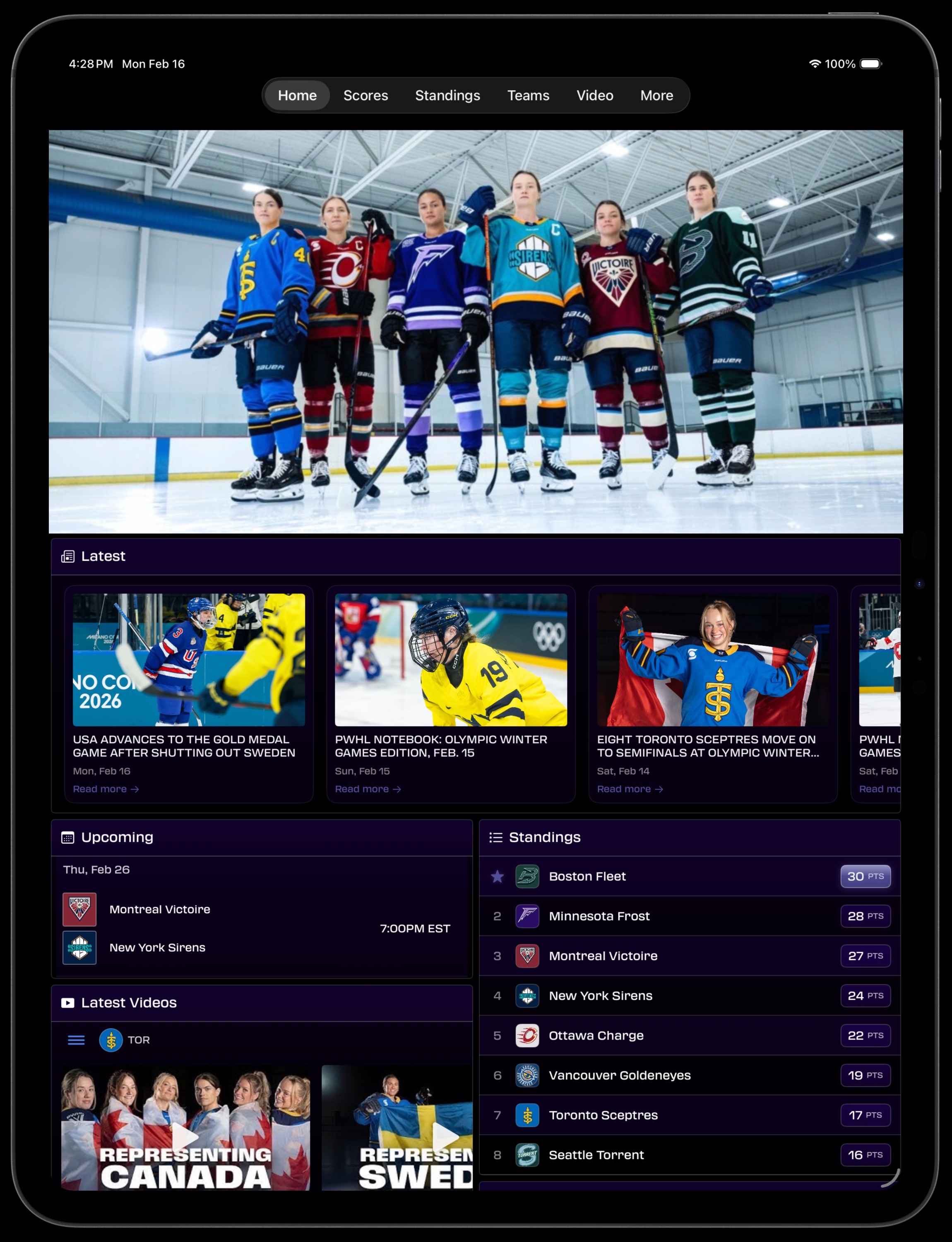
Native iPad Tab Bar
Navigate seamlessly between Home, Scores, Standings, Teams, Video, and More with a native top tab bar designed specifically for iPad. No cramped phone UI stretched to fit — this is a purpose-built iPad experience.
- Top-mounted tab bar adapts to iPad screen size
- Six main views: Home, Scores, Standings, Teams, Video, More
- Liquid Glass supported on iPadOS 26
- Instant switching between sections
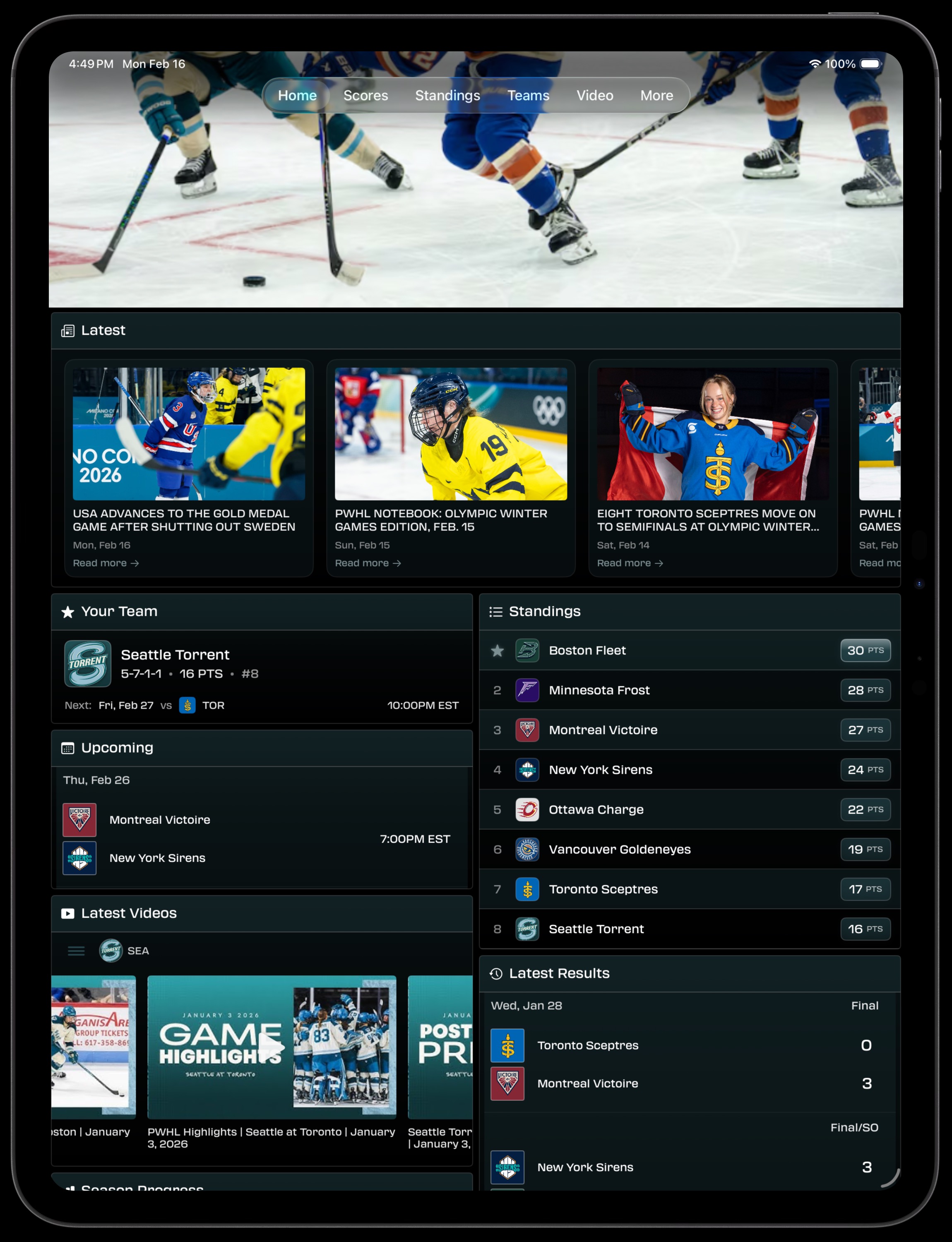
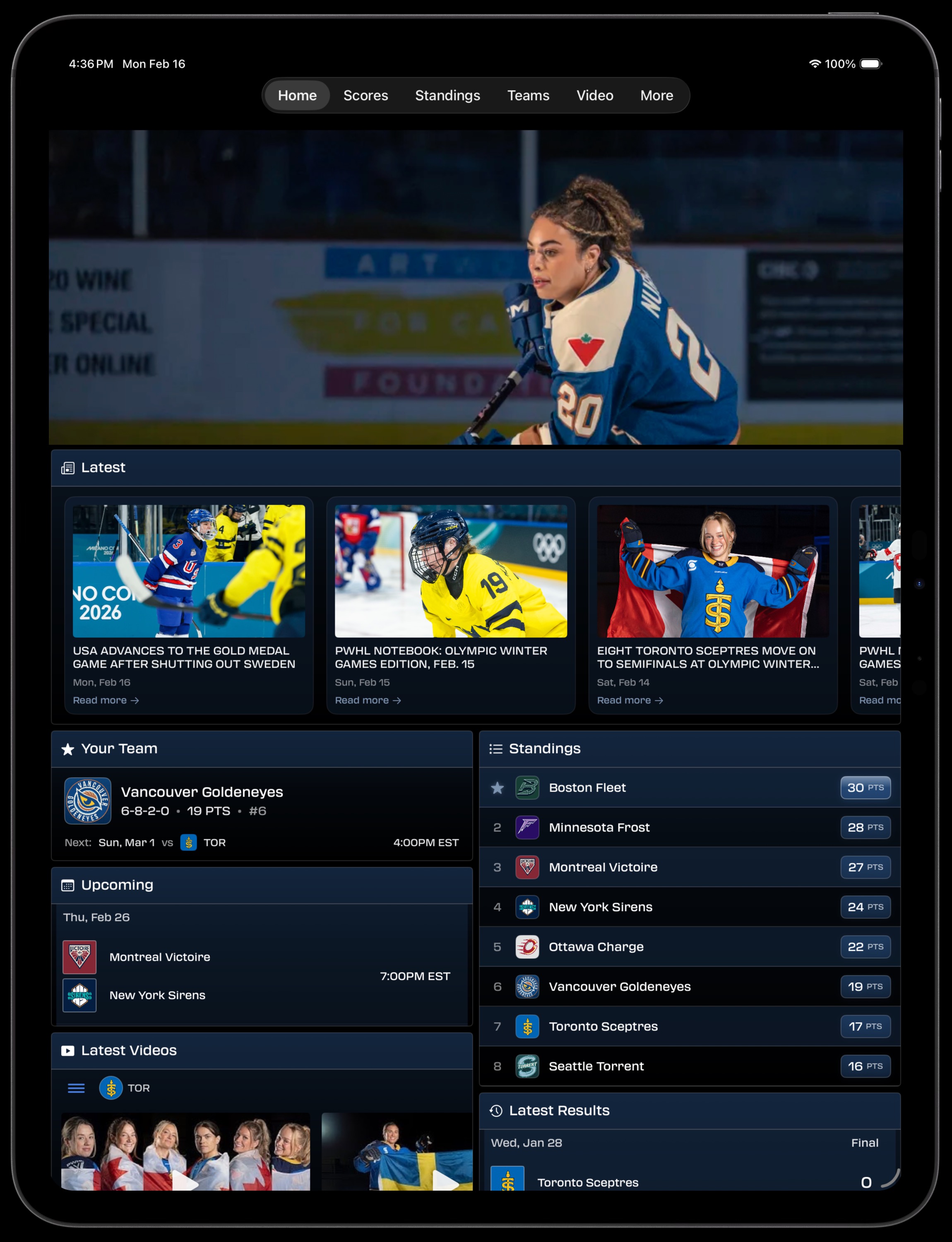
Multi-Column Home View
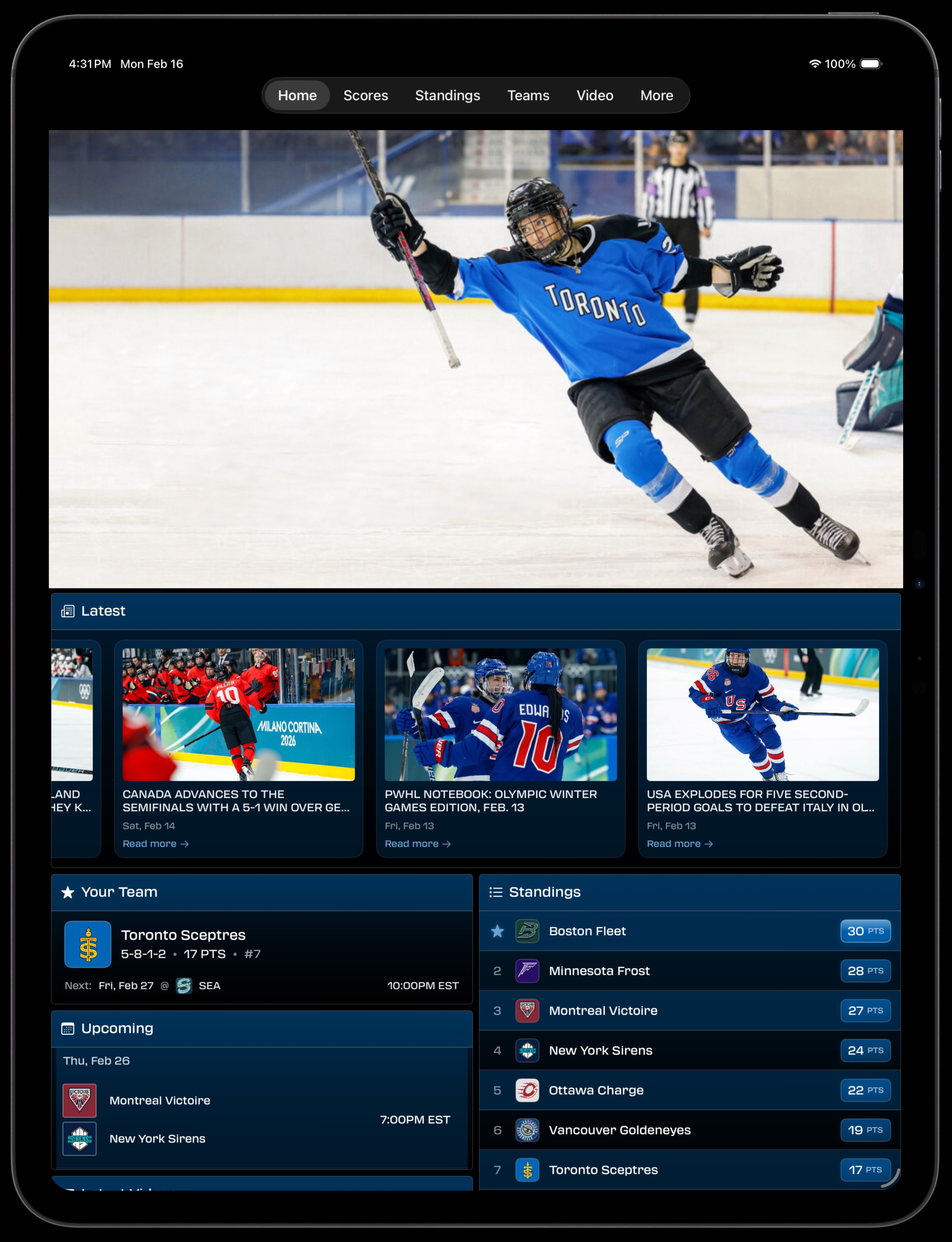
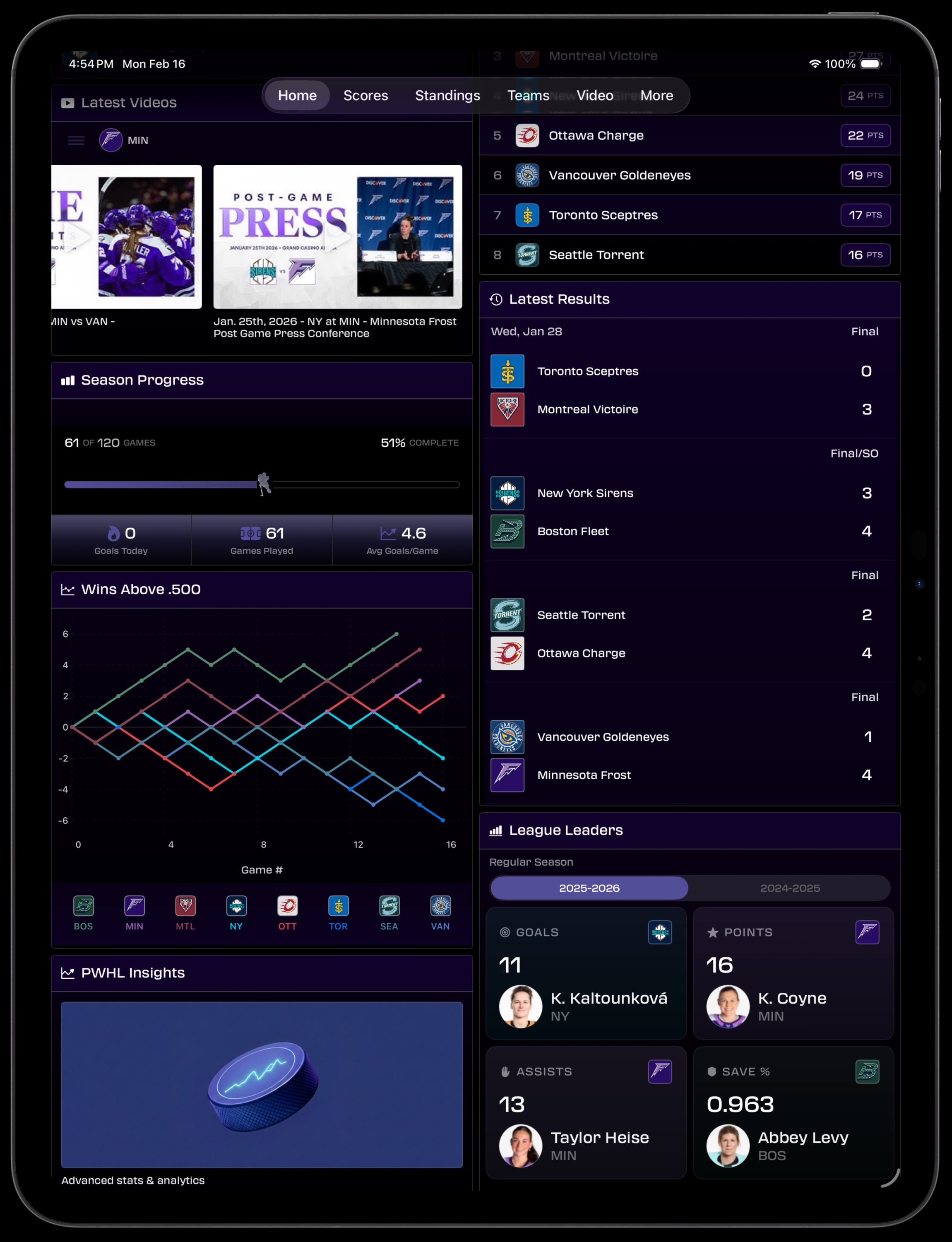
See everything at a glance. The iPad Home view uses a two-column layout to show your team, upcoming games, latest news, standings, recent results, league leaders, and videos — all without scrolling endlessly.
- Your Team card with record, next game, and rank
- Latest PWHL news with thumbnail previews
- Live standings and recent results side-by-side
- Season progress, Wins Above .500 chart, and PWHL Insights
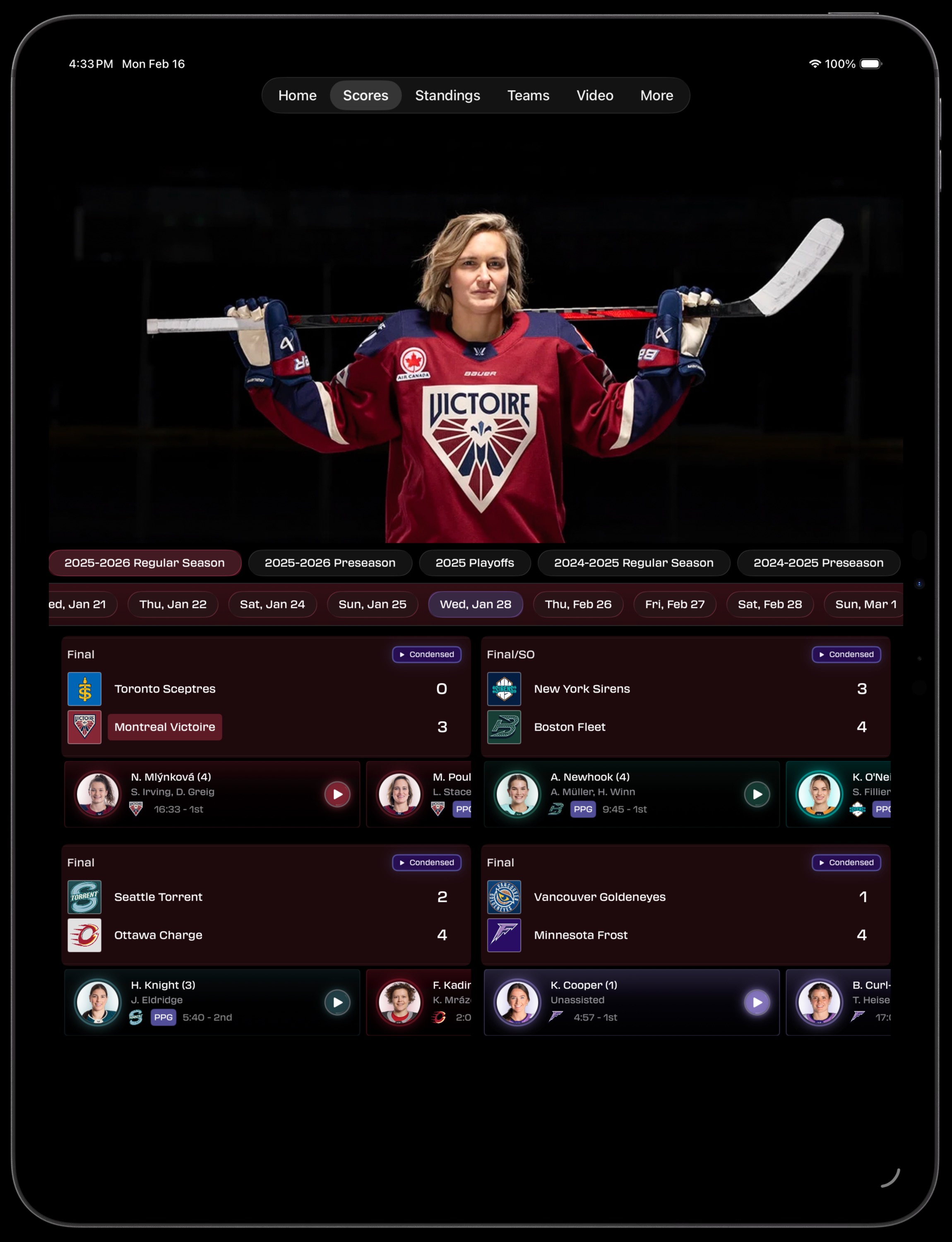
Scores & GameCenter
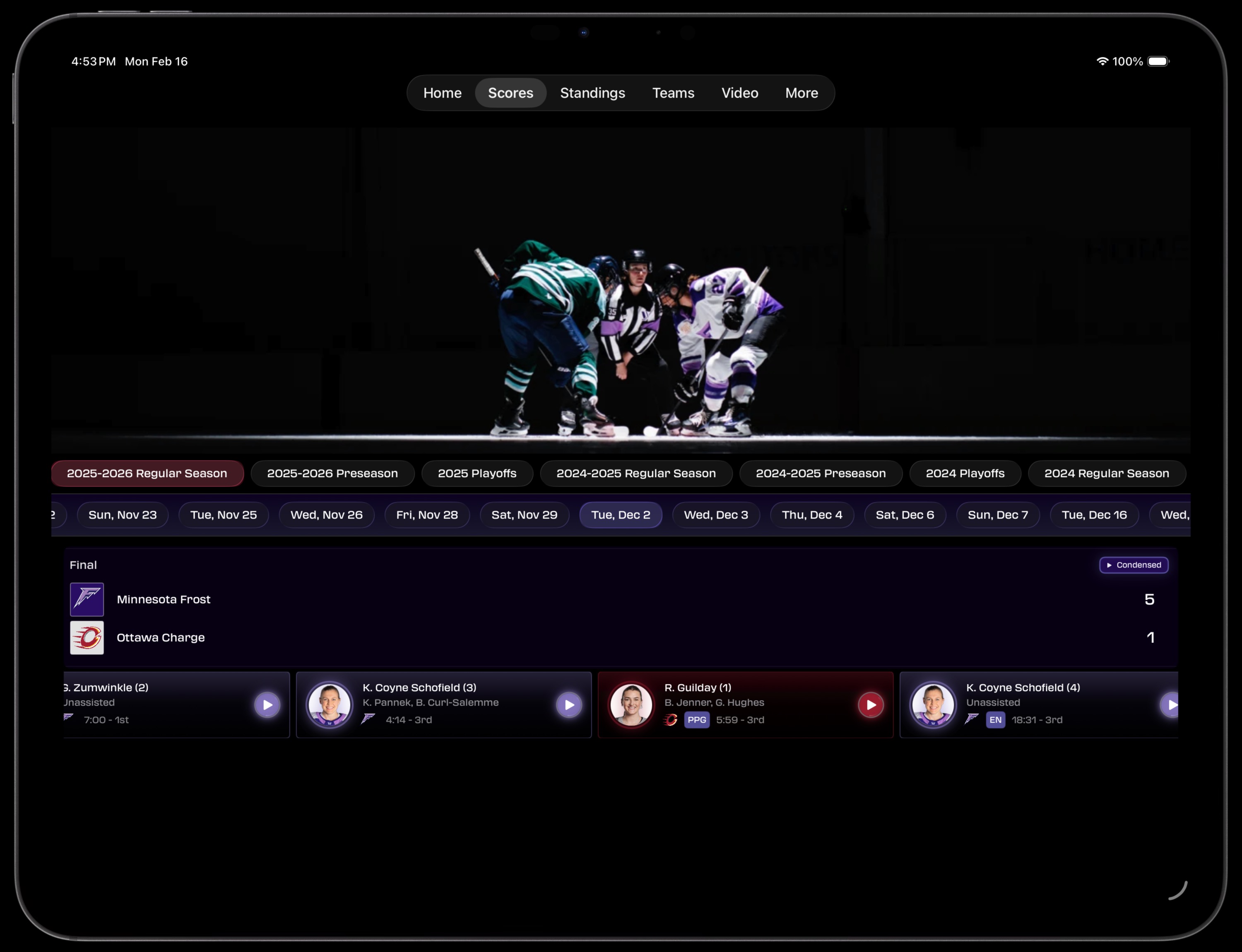
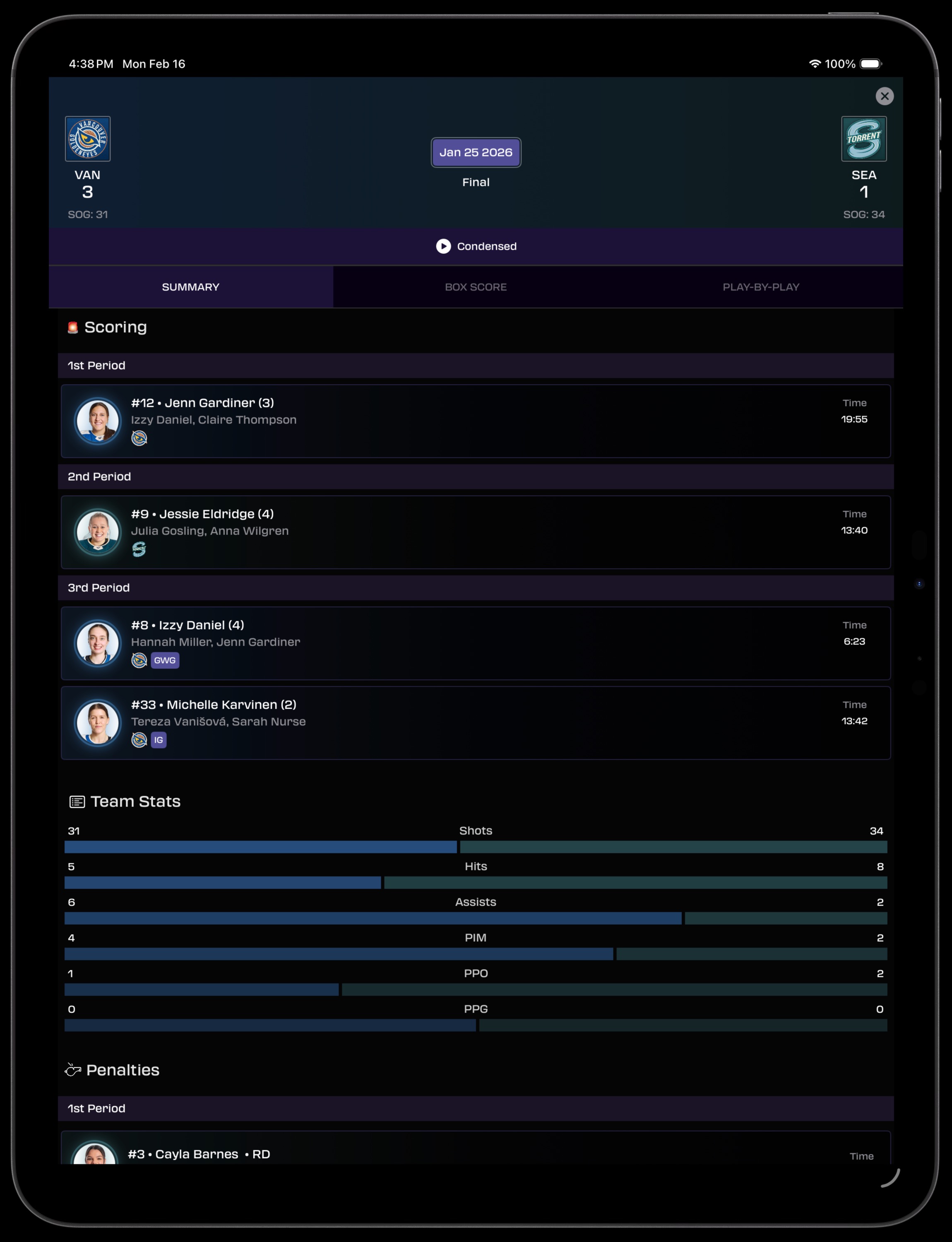
Follow every game with expanded score cards that show multiple matchups side-by-side. Tap into any game for a full GameCenter experience with scoring summaries, team stats comparison bars, and penalty details — all using the full width of your iPad.
- Two-column score layout shows all games at once
- Goal scorer cards with player photos and timestamps
- Full GameCenter with Summary, Box Score, and Play-by-Play tabs
- Condensed game video links inline
Expanded Stats Tables
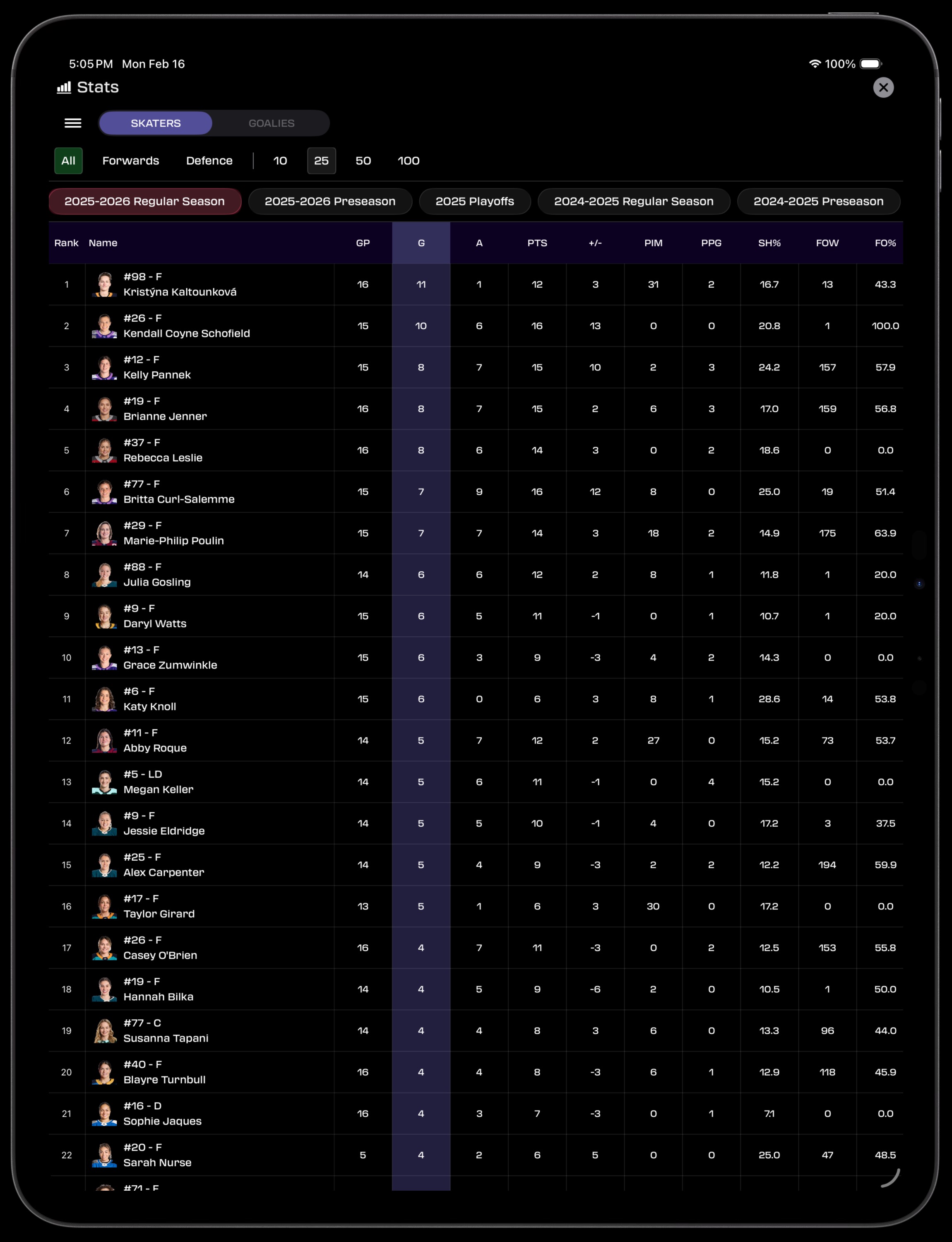
Stats tables expand to fill the iPad’s screen. See GP, G, A, PTS, +/-, PIM, PPG, SH%, FOW, and FO% for every skater in a single view — no horizontal scrolling required. Filter by skaters or goalies, season, and position.
- Full-width stats table with all columns visible
- Player photos and position badges inline
- Filter by Forwards, Defence, or All skaters
- Toggle between 10, 25, 50, or 100 players
Full-Width Standings
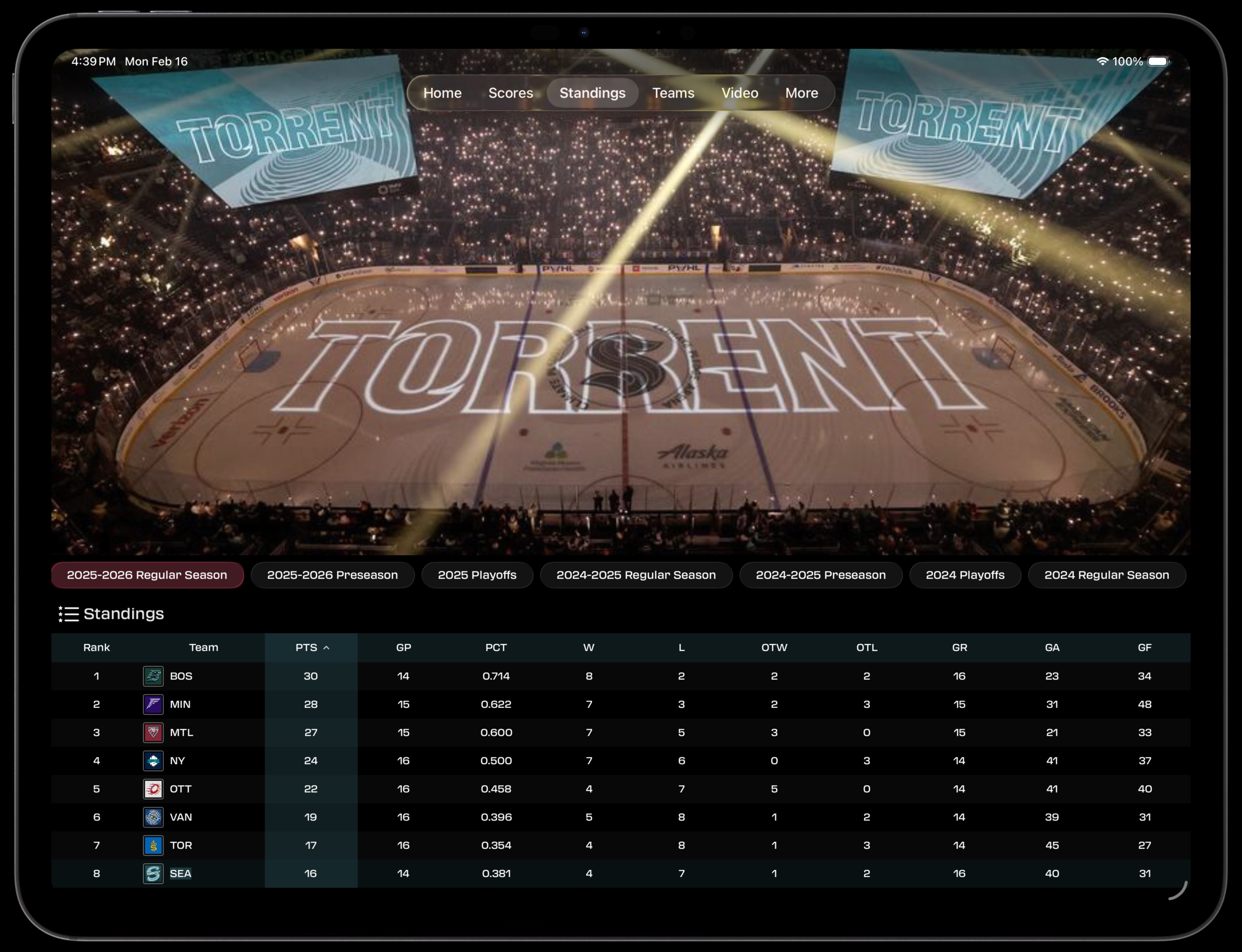
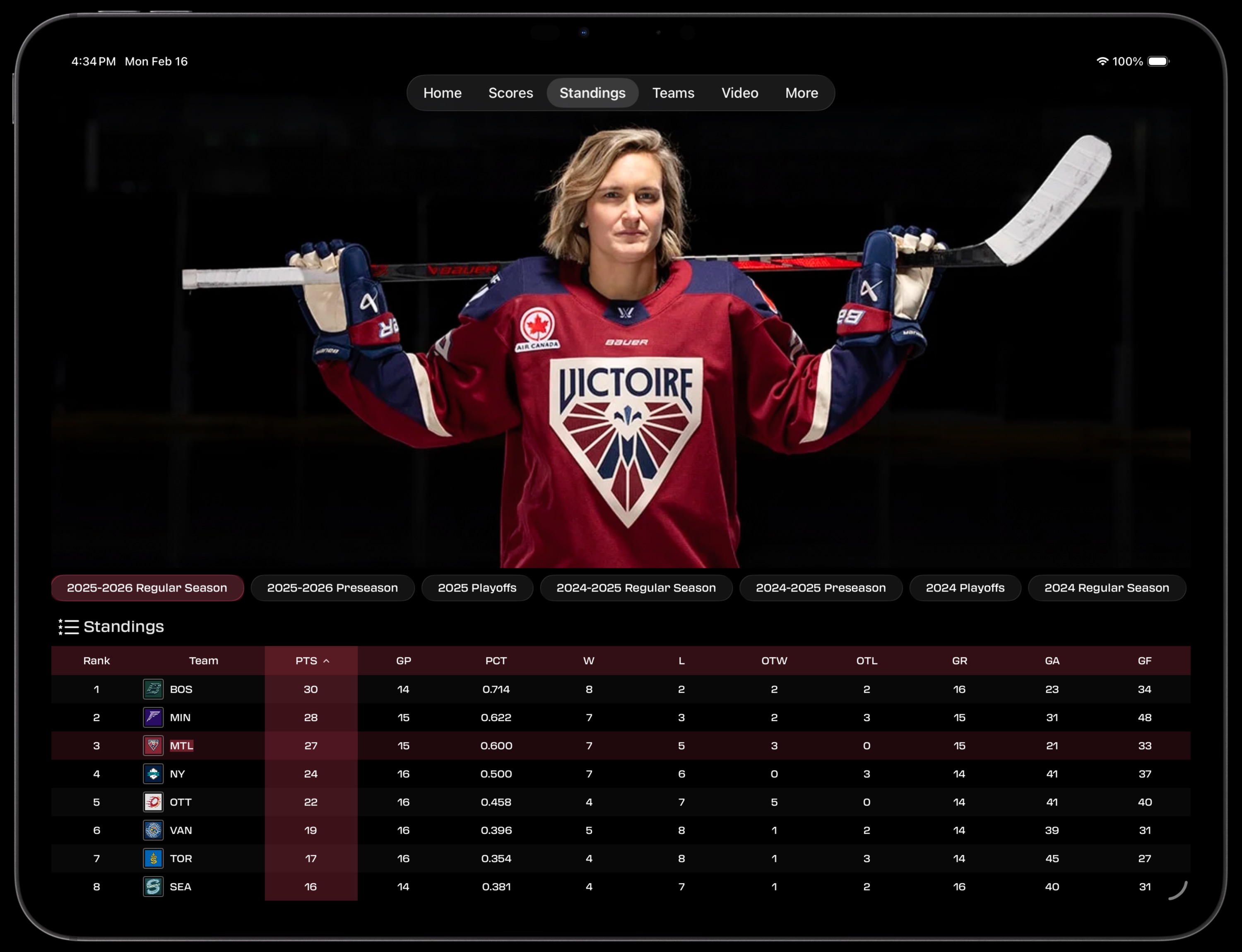
See every column of the standings table at once: PTS, GP, PCT, W, L, OTW, OTL, GR, GA, and GF. Dynamic team banners fill the screen with immersive imagery from all eight PWHL markets. Switch between any season with one tap.
- Complete standings with all stat columns visible
- Full-bleed team hero banners
- Season picker across all PWHL seasons
Video on the Big Screen
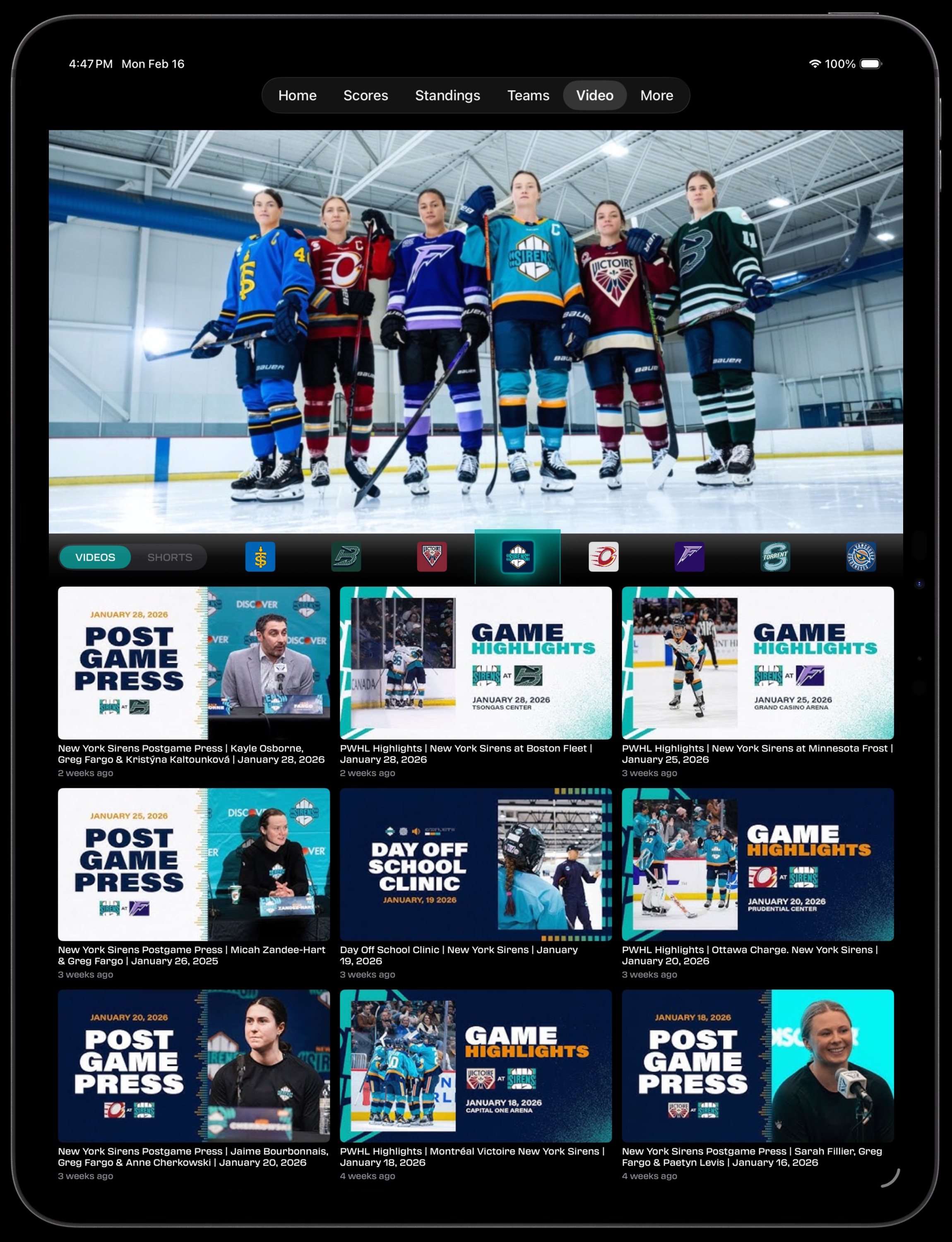
Watch the best PWHL content on your iPad. The Video tab uses a three-column grid to showcase game highlights, postgame press conferences, and team features. Filter by team to find exactly what you want.
- Three-column video grid for easy browsing
- Videos and Shorts toggle
- Filter by any of the eight PWHL teams
- Full-bleed hero banner at the top
iPad Screenshot Gallery
Every view designed for iPad’s screen real estate
Home
Home
Home
 Home
Home
 Home (Scrolled)
Scores
Home (Scrolled)
Scores
 Scores
Standings
Scores
Standings
 Standings
Video
Standings
Video
 GameCenter
Stats
GameCenter
Stats
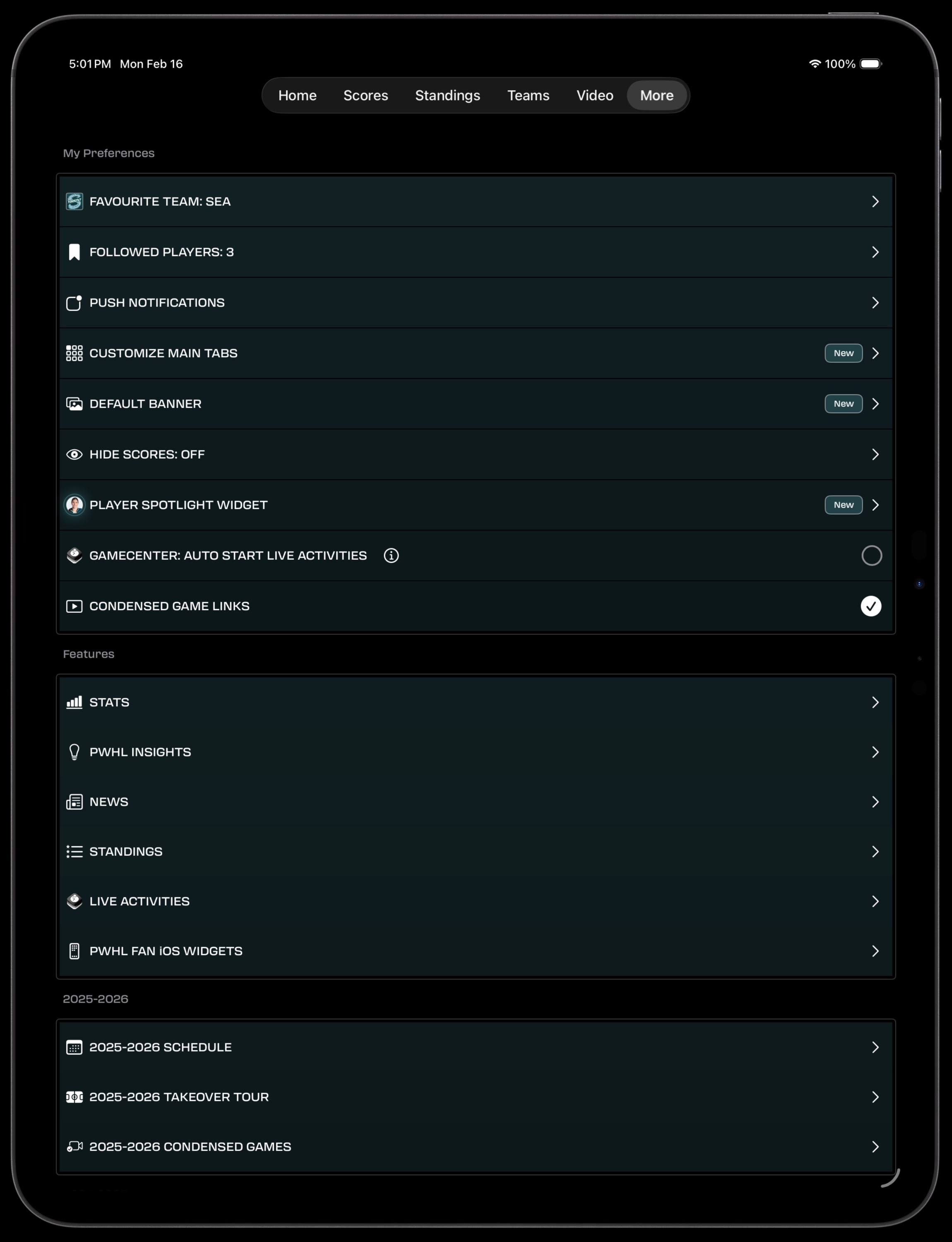 More
More
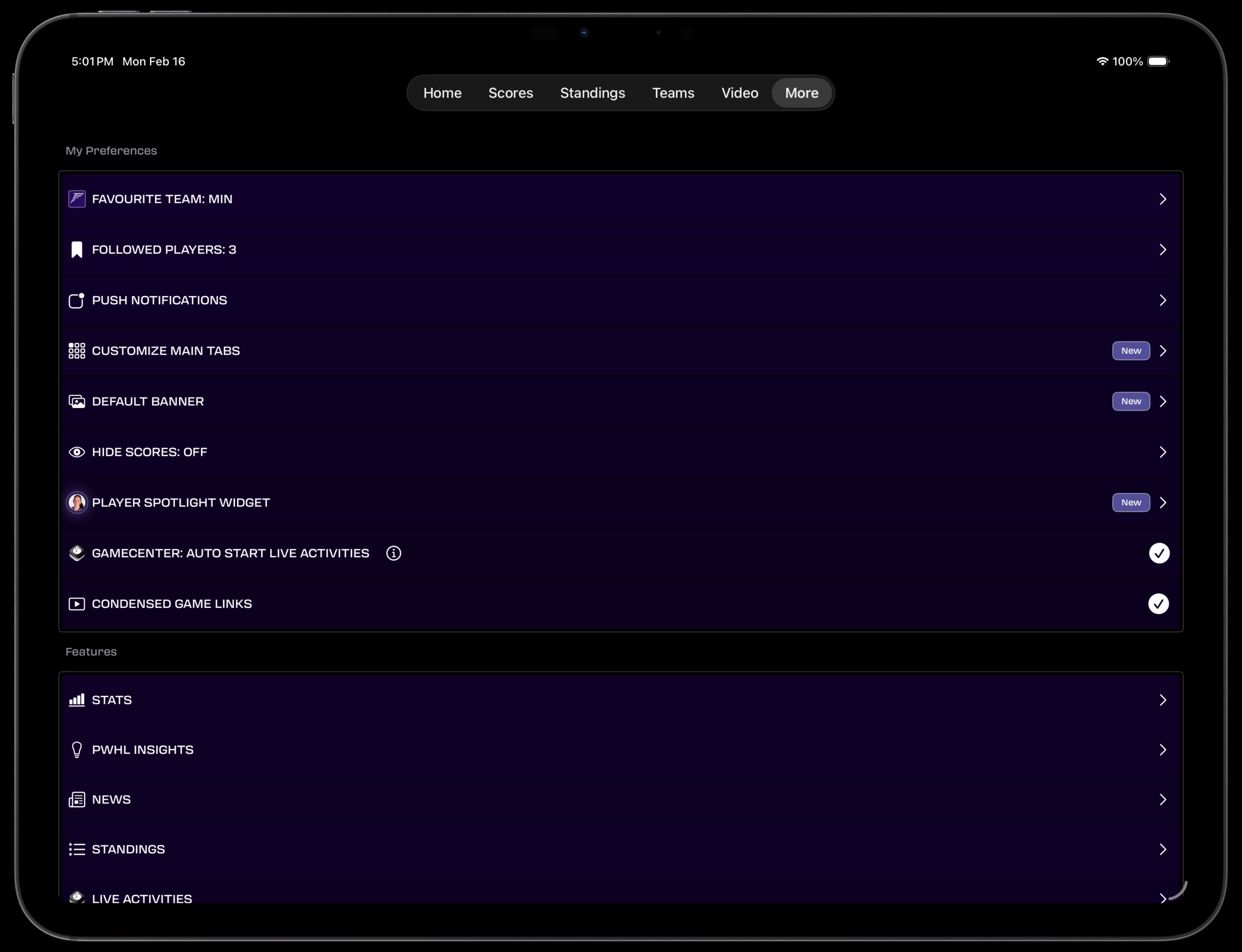 More (Landscape)
Built for iPad
Not just a scaled-up iPhone app. PWHL Fan is fully adapted for iPad with dedicated layouts for every screen.
Adapted Layouts
Multi-column views on Home and Scores. Tables expand to fill the screen. Every view uses the extra space meaningfully.
Full Stats Experience
See all stat columns at once — GP, G, A, PTS, +/-, PIM, PPG, SH%, FOW, FO% — without any horizontal scrolling.
Immersive Video
Three-column video grid. Game highlights, press conferences, and team content look incredible on iPad’s display.
GameCenter Detail
Full-width scoring summaries, stat comparison bars, and penalty breakdowns. Follow every moment of the game.
Dynamic Banners
Full-bleed team banners on Standings and Scores fill the iPad screen with stunning PWHL imagery from all eight markets.
Portrait & Landscape
Works beautifully in both orientations. Landscape mode is great for stats and standings with even more columns visible.